PennyGems: Screen Penny Stocks
- 4.8
- Rating
- 50.00K
- Installs
- Free
- Price

 Analysis by App-foxy
I approached PennyGems: Screen Penny Stocks as a finance app for one specific job: helping me notice possible momentum in low-priced shares without spending all day scanning market pages. Its central appeal is the use of AI buy and sell signals alongside price alerts, so the experience is less about building a complete investment portfolio and more about creating a focused watchlist for speculative opportunities. That distinction matters. I would not treat it as a replacement for a broker, a full research platform, or personal financial judgment, but I can see why someone interested in penny stocks would want it nearby.
The app is free to install, with optional in-app purchases ranging from around eight dollars to around eighty dollars per item. It comes from Stockring, Inc., and its Everyone age rating makes the presentation approachable for a broad audience. The current version is 7.2.6, and the app has passed the early-experiment stage: it has over fifty thousand installs, a 4.8 average from around three hundred ratings, and dozens of written reviews. Those figures suggest that the concept has found a real audience, although they do not remove the need to understand the risks of the market it covers.
AI signals are useful as a starting point, not a verdict
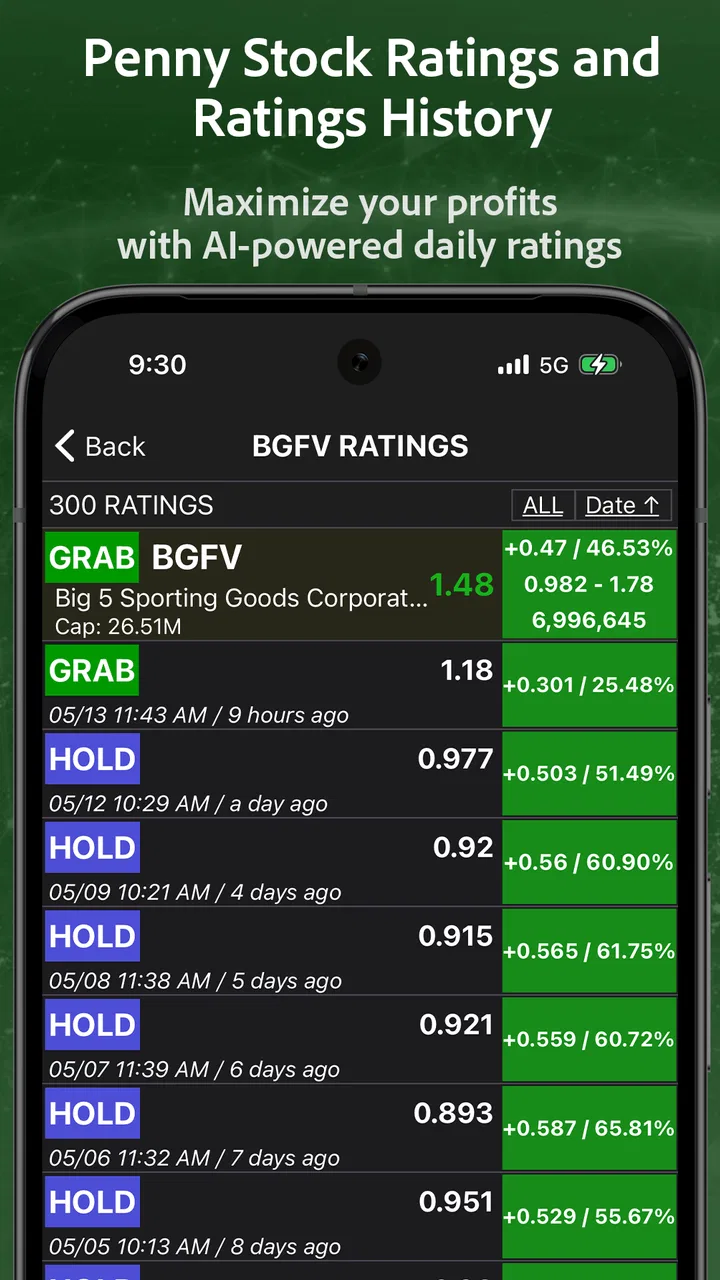
The most important capability here is the signal system. Rather than asking me to manually compare every small company, PennyGems tries to draw attention to stocks that may be developing a trend. In practical terms, that can shorten the distance between “I want to explore penny stocks” and “I have a few names worth researching.” For a beginner, that first filtering step can feel more manageable than opening a traditional market app filled with charts, news, screeners and unfamiliar terminology.
You May Also Like

 Blood Strike: 2.5 Anniversary
Blood Strike’s Loadouts Turn Every Drop Into a Tactical Gamble
A close look at Blood Strike’s custom loadouts: how fast access to signature weapons reshapes its battle royale rhythm, rewards preparation, and narrows the gap between fights.

 Pandora - Music & Podcasts
Pandora’s Music Is Easy to Start, but Harder to Recover
Pandora’s strength is its low-effort path from a seed to a station. Its weak spot is how much confidence it asks you to place in connection, setup, and quiet recovery.

 8 Ball Pool
 Is Built on Rivalries, Rematches, and Routine
A close look at the rivalries, rematches, shared routines, and unanswered safety questions that turn a quick pool match into a persistent mobile community.

 Samsung Music
’s Quiet Strength Is Playing What You Already Own
Its reach comes less from spectacle than from dependable access to a personal library. That simplicity is both the app’s strongest retention engine and its ceiling.

 AccuWeather: Weather Radar
AccuWeather Review: A Quick, Clear Forecast for Everyday Decisions
For everyday plans, the best forecast is the one you can understand quickly. AccuWeather makes rain timing, radar, and local conditions easy to act on, with a few trade-offs.

 Hill Climb Racing
Why Hill Climb Racing Still Turns Crashes Into One More Run
A tiny car, a bumpy hill and one more upgrade: Hill Climb Racing keeps resurfacing because its simple chaos makes every near-miss feel personal.
More From Our News Desk
View All News


What I like about this approach is its narrow focus. Many finance apps attempt to cover investing, banking, budgeting, retirement planning and news in one place. PennyGems is more specialized. The experience is built around finding candidates and watching for movement, which makes it easier to understand what the app is trying to do. I am not opening it to calculate my long-term asset allocation; I am opening it to see whether any small-cap names deserve closer attention.
Still, an AI signal should be treated as a prompt for investigation rather than an instruction to buy or sell. Penny stocks can move sharply, trade with limited liquidity and react dramatically to news or speculation. A signal may help me notice a chart or price change, but it cannot turn an uncertain company into a safe investment. The useful question is not “Did the app tell me to buy?” but “What should I verify before I make any decision?”
That mindset changes how I would use the app. I would regard a signal as the beginning of a short research checklist: identify the company, check why the price is moving, consider whether the trading volume is meaningful, and decide how much loss I could tolerate. If I cannot explain the reason for the movement in plain language, I would not let the alert create artificial urgency.
What the signal changes in a normal day
Without a focused tool, finding penny-stock ideas can become a repetitive search through watchlists and market pages. PennyGems gives that process a more direct shape. I can use it to scan for names that are attracting attention, then reserve my deeper research for a smaller group. That is the real time-saving benefit: not perfect prediction, but less random browsing.
The price-alert side is equally important. A person may identify an interesting stock in the morning but have no realistic way to stare at its price all day. Alerts provide a reminder when a chosen level or notable movement deserves attention. I prefer this to repeatedly checking a chart, because constant checking can encourage emotional decisions. An alert creates a pause between market movement and my response, even if the movement itself is fast.
There is a practical limitation, though. Alerts can make a volatile market feel more actionable than it really is. A notification arrives with a sense of importance, but the event may simply be a short-lived spike. My advice is to decide in advance what an alert means. For example, I might use it as a prompt to open company information and review the situation, not as permission to place an order immediately.
How I would build a sensible workflow
I would begin with a short observation period rather than buying the first stock that appears interesting. During that period, I would note which signals catch my attention, what happened afterward, and whether the movement had a clear explanation. This is not a promise that past behavior predicts future results; it is simply a way to learn how much confidence I should place in the app’s suggestions.
A second useful habit is separating discovery from execution. PennyGems can help me discover possibilities, while a brokerage account remains the place where I review order details and execute a trade. Keeping those roles separate reduces the temptation to confuse a convenient alert with complete investment research. It also makes the app useful for people who already have a preferred broker and do not want to abandon it.
I would also keep the number of watched ideas small enough to follow properly. A long list may look productive, but it can become another form of noise. With penny stocks in particular, I would rather understand a handful of companies and their risk factors than collect dozens of symbols because an algorithm highlighted them.
The best everyday scenario is controlled monitoring
The strongest use case I can imagine is a person with limited time who is curious about speculative stocks but does not want to spend a lunch break sorting through every market mover. On a weekday morning, I could open the app, review the signals, select a few candidates, and set price alerts around levels that matter to my plan. Then I could return to work instead of refreshing a quote screen every few minutes.
Later, an alert could bring one candidate back to my attention. At that point I would check the company’s recent news, the reason for the move and the spread or liquidity available through my broker. If the story still made sense, I might continue researching. If the price had moved only because of a brief burst of speculation, I could dismiss it. In this scenario, PennyGems acts as a monitoring assistant, while I remain responsible for interpretation.
This workflow is especially helpful for someone who already understands that penny stocks require caution but wants a more convenient discovery layer. It is less suitable for a person hoping to receive effortless, reliable daily gains. The wording around trending stocks and signals may sound exciting, yet the market does not owe consistent results to any alert system.
Another reasonable scenario is educational observation. Someone new to small-cap markets could use the app to create a list of companies that attract attention, then compare the signals with actual price behavior and public information. Used this way, the app becomes a practical lesson in volatility and confirmation bias. The important rule is to learn with money one can afford to lose, or to observe without trading until the risks are understood.
Where it differs from ordinary finance apps
Compared with a general investing app, PennyGems feels more like a specialized radar. A broad platform is usually better for account management, diversified funds, company research, financial statements and long-term portfolio tracking. PennyGems is more focused on surfacing possible penny-stock activity and reminding me when a price deserves another look.
That specialization is both its advantage and its boundary. If I want one application to manage my portfolio, place orders, review retirement holdings and follow established companies, I would choose a full-service brokerage or a comprehensive market platform instead. If my main interest is finding speculative names earlier in my research process, the narrower design makes more sense.
It also differs from a manual spreadsheet or a simple watchlist. A spreadsheet gives me complete control but requires me to find every candidate and update every observation myself. A basic watchlist can track prices, yet it may not offer the same signal-oriented discovery experience. PennyGems is appealing when I value a curated starting point more than absolute control over every screening rule.
On the other hand, experienced traders who demand detailed technical tools, extensive chart customization or deep fundamental analysis may find the app too focused. Its value is not that it replaces professional research; its value is that it can help decide where to direct attention first.
The tradeoffs become clearer with real money involved
The biggest tradeoff is convenience versus confidence. An AI-generated signal is convenient because it reduces the amount of searching I need to do. But that convenience can make a recommendation feel more authoritative than it deserves. I would be cautious about using the app during a fast-moving session, when a delayed reaction or a sudden reversal can turn an appealing idea into a poor entry.
Price alerts have a similar tradeoff. They are useful when I have a defined plan, but distracting when I set too many or respond to every notification. My practical tip is to create alerts only after writing down what action, if any, each level represents. If the answer is simply “I will panic and check the price,” the alert is probably not helping.
The app’s free entry point lowers the barrier to trying the concept, but the optional purchases deserve attention before spending. The listed purchase range runs from around eight dollars to around eighty dollars per item. I would first use the free experience long enough to decide whether the signal-and-alert workflow genuinely improves my research. Paying for more access only makes sense if I can identify a specific problem the purchase solves.
There is also a psychological tradeoff in focusing on penny stocks. The app may make this corner of the market easier to explore, but easier access does not make it less speculative. A new user could mistake a polished interface for reduced risk. I would set a strict position limit, avoid using essential savings, and never let a notification override a previously chosen risk boundary.
Another point is verification. When a signal appears, I would look for independent information before acting. That might include the company’s own announcements, reputable financial reporting and the details available through my broker. I would be particularly wary of dramatic claims, sudden online enthusiasm or a price jump that has no understandable explanation. PennyGems can identify something interesting; it cannot perform every part of due diligence for me.
Small habits that make the app safer to use
- Use signals for discovery: treat each suggestion as a candidate for research rather than a completed investment thesis.
- Keep alerts selective: too many notifications can turn monitoring into impulsive trading.
- Separate research from execution: confirm the company and order details in the brokerage platform before committing money.
- Record the reason for watching a stock: a short note makes it easier to recognize when the original idea is no longer valid.
- Review paid options slowly: test whether the free experience fits your routine before considering an in-app purchase.
These habits are not extra features I am claiming the app provides. They are ways I would use its existing focus without allowing the focus to dictate my decisions. That distinction is important because the app is most helpful when it improves discipline, not when it encourages constant action.
Who gets the most value from PennyGems?
I think the best audience is a curious investor who already has a brokerage account, understands that penny stocks are high risk, and wants a quicker way to discover names worth researching. This person benefits from the combination of AI signals and alerts because it adds structure to an otherwise scattered search. The app can also suit a more experienced investor who wants a separate idea-generation tool rather than another all-purpose portfolio application.
It may also help a learner who prefers a focused environment. The narrow subject makes the app easier to approach than a giant financial dashboard, provided the learner treats every signal as a question. Watching how alerts correspond with real market events can teach useful lessons about volatility, timing and the danger of chasing movement.
I would skip it if I am looking for guaranteed returns, hands-off investing or a complete financial plan. Someone whose priority is diversified long-term growth may be better served by a broad investment platform and low-cost diversified products. Likewise, a professional trader who needs advanced charting, extensive order controls and institutional-grade research may want a more specialized terminal.
I would also avoid making it my only source of financial information. The app’s strength is concentration, and concentration naturally leaves out other parts of the decision. Before buying anything, I would still investigate the business, understand the potential downside and confirm that the trade fits my own plan.
After using the concept as a focused research aid, my opinion is positive but measured. The app gives penny-stock discovery a clearer routine: notice a possible trend, watch the price, and decide whether further research is justified. That is genuinely useful for the right person. Its alerts can save attention, and its signal-based approach is more purposeful than aimless browsing.
My recommendation comes with one firm condition: use PennyGems as a radar, not an autopilot. The free starting point makes it easy to test, the Everyone rating keeps the presentation accessible, and Stockring, Inc. has built a focused finance tool rather than another oversized money-management suite. But the same focus can amplify excitement around a risky market. If I were recommending it to a friend, I would say it is worth trying for organized discovery and monitoring, as long as the friend is prepared to verify every idea independently and accept that no signal removes the possibility of loss.
FAQs for PennyGems: Screen Penny Stocks
01What is PennyGems: Screen Penny Stocks used for?
PennyGems: Screen Penny Stocks is designed to help investors discover and filter low-priced stocks using screening tools and market data. After reviewing the app, its main purpose is to organize penny-stock research in a more accessible format, allowing users to examine potential opportunities based on criteria such as price, volume, market capitalization, and performance. It should be treated as a research tool, not as a substitute for professional financial advice.
02Does PennyGems provide real-time stock prices and market information?
The app may provide stock quotes, charts, screening results, and other market information, but the timing and availability of data can depend on the selected market, data provider, subscription level, and whether markets are open. Users should check the timestamp shown inside the app before making any decision. Prices for penny stocks can change rapidly, so delayed information may be especially important when evaluating short-term trades.
03Can I buy or sell penny stocks directly through PennyGems?
PennyGems: Screen Penny Stocks is primarily intended for finding and analyzing stocks rather than replacing a brokerage account. Screening an investment inside the app does not necessarily mean that orders can be placed there. If the app does not include a supported brokerage connection, you will need to verify the ticker and trade through your own broker. Always review fees, liquidity, trading restrictions, and order details before submitting a transaction.
04Is PennyGems suitable for beginners in stock investing?
The app can be useful for beginners who want to learn how stock screeners work, compare companies, and create a starting list for further research. However, penny stocks are generally more volatile and less liquid than established companies, and they may involve wider spreads, limited financial information, or a higher risk of loss. New investors should learn the basics, use reliable sources, and avoid investing money they cannot afford to lose.
05Is PennyGems free to download, and are there any in-app costs?
Before downloading PennyGems: Screen Penny Stocks, check the current listing for your Android or iOS device because pricing, available features, advertisements, and subscription options may change. Some versions of financial apps offer core screening tools for free while reserving advanced filters, alerts, market data, or additional research features for paid plans. Review the app-store description and subscription terms carefully, including renewal conditions, before confirming any purchase.
Pros
- Simple interface makes penny-stock data easy to browse.
- Useful watchlists help track selected stocks in one place.
- Low-priced shares can help users explore speculative markets affordably.
- Price updates and market details support quick research on the go.
- Educational exposure to small-cap stocks may benefit new investors.
Cons
- Penny stocks can be highly volatile and carry substantial loss risk.
- Some listings may have limited liquidity
- making trades difficult to execute.
- Market data may be delayed depending on the selected stock or exchange.
- The app is not a substitute for professional financial advice.
- Coverage and features may vary across regions and supported markets.

PennyGems: Screen Penny Stocks
Gallery